Join WhatsApp Groupt and Get GSM Tool for Free
Join Now
Join Facebook Group and Get GSM Tool For Free
Join Now
Here You Can Download MediaTek Universal Tool V2 For Free, and I Will Guide You On How To Install Mediatek Universal Tool On Your Computer or Laptop.
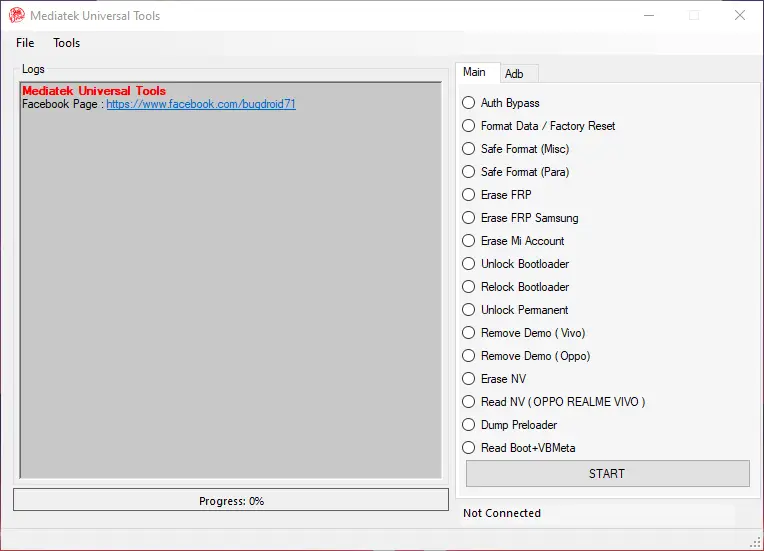
Mediatek Universal Tool V2 Features
MAIN TAB
- AUTH Bypass
- Format Data / Factory Reset
- Safe Format (MISC)
- Safe Format (Para)
- Erase FRP
- Erase FRP Samsung
- Erase Mi Account
- Unlock Bootloader
- Relock Bootloader
- Unlock Permanent
- Remove Demo (VIVO)
- Remove Demo (OPPO)
- Erase NV
- Read NV (Oppo Realme VIVO)
- Dump Preloader
- Read Boot+VBMeta
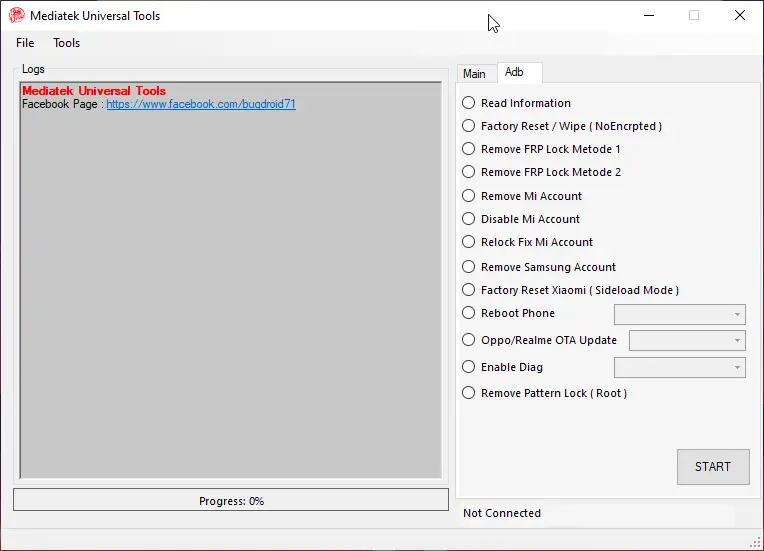
ADB TAB
- Read information
- Factory Reset / Wipe (NoEncrypted)
- Remove FRP Lock Method 1
- Remove FRP Lock Metod 2
- Remove Mi Account
- Disable Mi Account
- Relock Fix Mi Account
- Remove Samsung Account
- Factory Reset Xiaomi (Sideload Mode)
- Reboot phone
- Oppo/Realme OTA Update
- Enable Diag
- Remove Pattern Lock (ROOT)
How To Install Mediatek Universal Tool V2
Download Link
Mediatek Universal Tool 👉 Click Here
- Download the zip file from the provided link.
- After Downloading, You Will Get a Zip File
- Extract Zip File, Open Extracted Folder
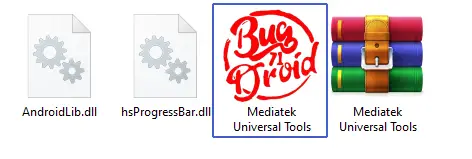
- This Is a Portable Tool, Run Tool From Icon “Mediatek Universal Tools.exe”
- Connect phone and try the tool.
- Done !!!
Free Tool 👉 Miracle Box V3.40 Crack Free Download (100% Working)

Free Tool 👉 TFT Unlock Tool 4.6.4.4 Back With Custom Server (Update File)

Leave a Comment